Calm by design
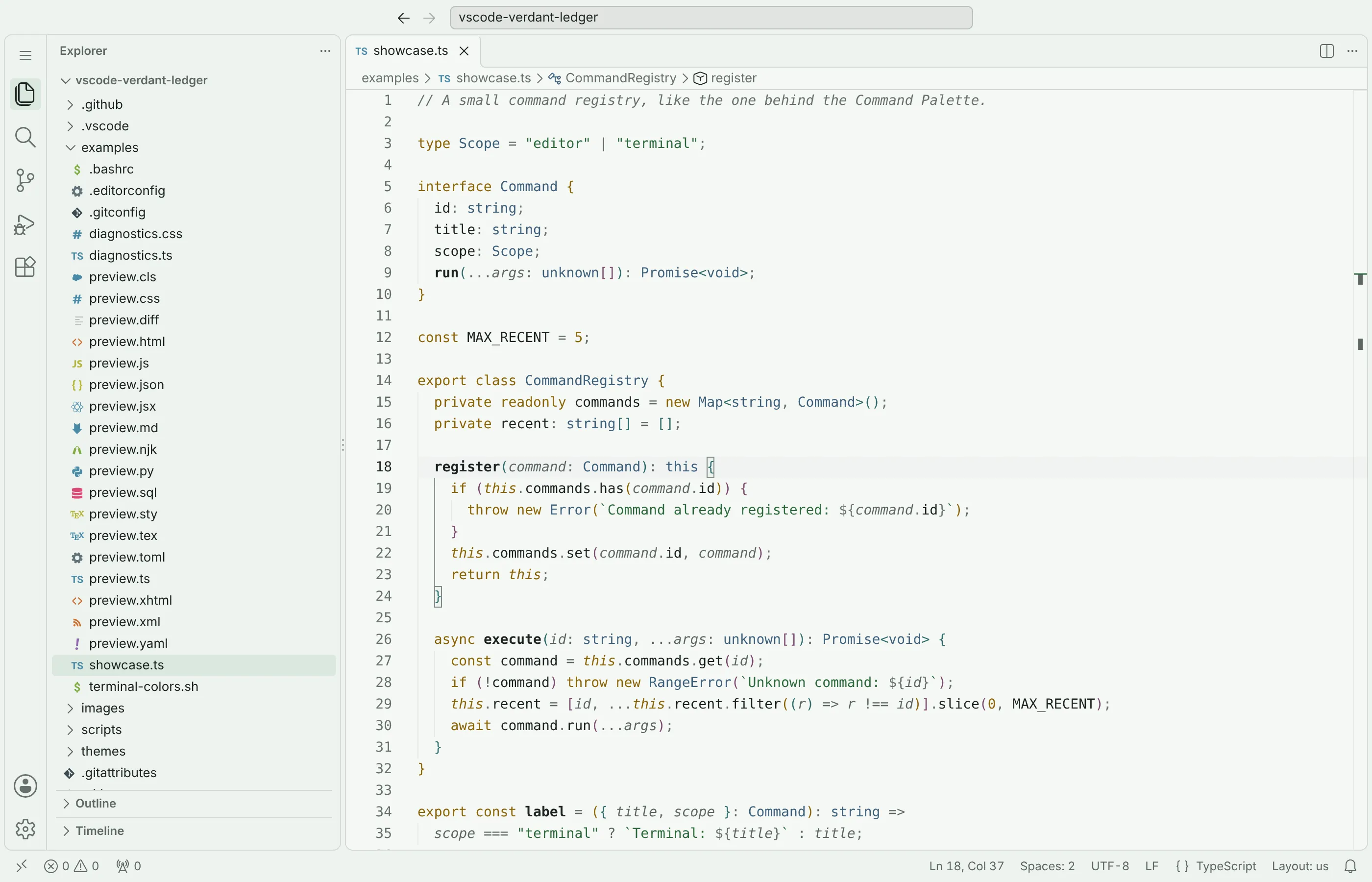
Most code stays deep evergreen. Ochre marks keywords, forest green marks strings, slate blue marks types. Nothing else competes.
Visual Studio Code theme · Light · Free
Verdant Ledger Light is a low-glare theme in deep evergreen, forest green and ochre. Color is kept for meaning, and every pair is checked for contrast.
examples/showcase.ts · lines 14–32
export class CommandRegistry {
  private readonly commands = new Map<string, Command>();
  private recent: string[] = [];

  register(command: Command): this {
    if (this.commands.has(command.id)) {
      throw new Error(`Command already registered: ${command.id}`);
    }
    this.commands.set(command.id, command);
    return this;
  }

  async execute(id: string, ...args: unknown[]): Promise<void> {
    const command = this.commands.get(id);
    if (!command) throw new RangeError(`Unknown command: ${id}`);
    this.recent = [id, ...this.recent.filter((r) => r !== id)].slice(0, MAX_RECENT);
    await command.run(...args);
  }
}
examples/preview.py
from dataclasses import dataclass


@dataclass
class Palette:
    accent: str = "#2d6a3b"
    surface: str = "#eef2ef"

    def label(self) -> str:
        return describe(self.accent)


def describe(color: str, label: str = "accent") -> str:
    """Return a readable color label."""
    if not color.startswith("#"):
        raise ValueError("Expected a hex color")
    return f"{label}: {color}"


print(describe(Palette().accent))
examples/preview.css
:root {
  --forest: #2d6a3b;
  --surface: #eef2ef;
}

.preview-card:hover {
  color: var(--forest);
  padding: 1.25rem;
  border: 1px solid #cfd6d2;
}

@media (prefers-color-scheme: light) {
  body { background: var(--surface); }
}
examples/preview.md
# Calm, readable code

Comments should recede; **important text** should remain clear.

Use `theme.preview()` for an inline-code sample, or visit [the guide](https://code.visualstudio.com/).

> Soft green surfaces keep the editor easy on the eyes.

```js
const accent = "#2d6a3b";
```
Most code stays deep evergreen. Ochre marks keywords, forest green marks strings, slate blue marks types. Nothing else competes.
WCAG AA text, 3:1 borders and icons, and an error red that stays apart from warnings with red-green color blindness.
Diff and merge views, debugging, testing, notebooks, the Source Control graph, chat and the terminal all share the palette.
Declarations are bold, deprecated symbols are struck through, and this and self stand out.
Accessibility, measured
With deuteranopia, red and ochre drift toward the same olive. Verdant Ledger’s red is darker than its ochre, so the difference survives as lightness.
See the contrast of every colorundefinedTotalunusedImport
undefinedTotalunusedImport
ext install nelvaron.verdant-ledger-light in Quick Open.